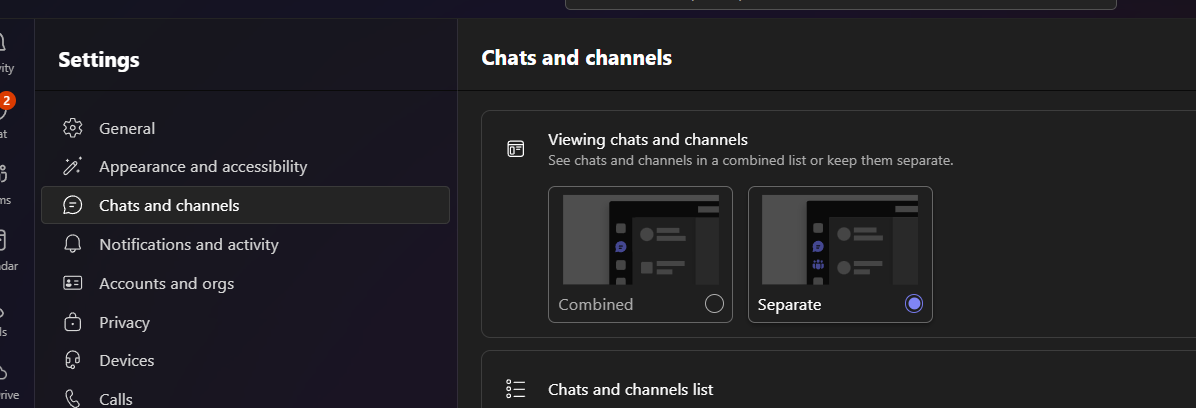
This will provide information on the updates to the Chat and Teams buttons, which are now offering the option to combine or separate them. These changes allow for a more personalized interface, enhancing usability and aligning with your workflow needs.
1. Open your Teams app.
2. Click the “…” (More options) at the top right of the screen.
3. Select Settings.

4. Under Viewing Chats and Channels, choose one of the following options:
- Combined: Combines Chat and Teams into one tab.
- Separate: Splits Chat and Teams into two distinct tabs.
Note: If you update your settings, the Teams app may restart to apply the changes.